#1 SHOPIFY & WEBFLOW INTEGRATION

Shopify stores in Webflow. On-brand. Scalable. Fast.

Visually build and manage your Shopify storefront in Webflow. No-code. No embeds. No trade-offs.
Free until you launch
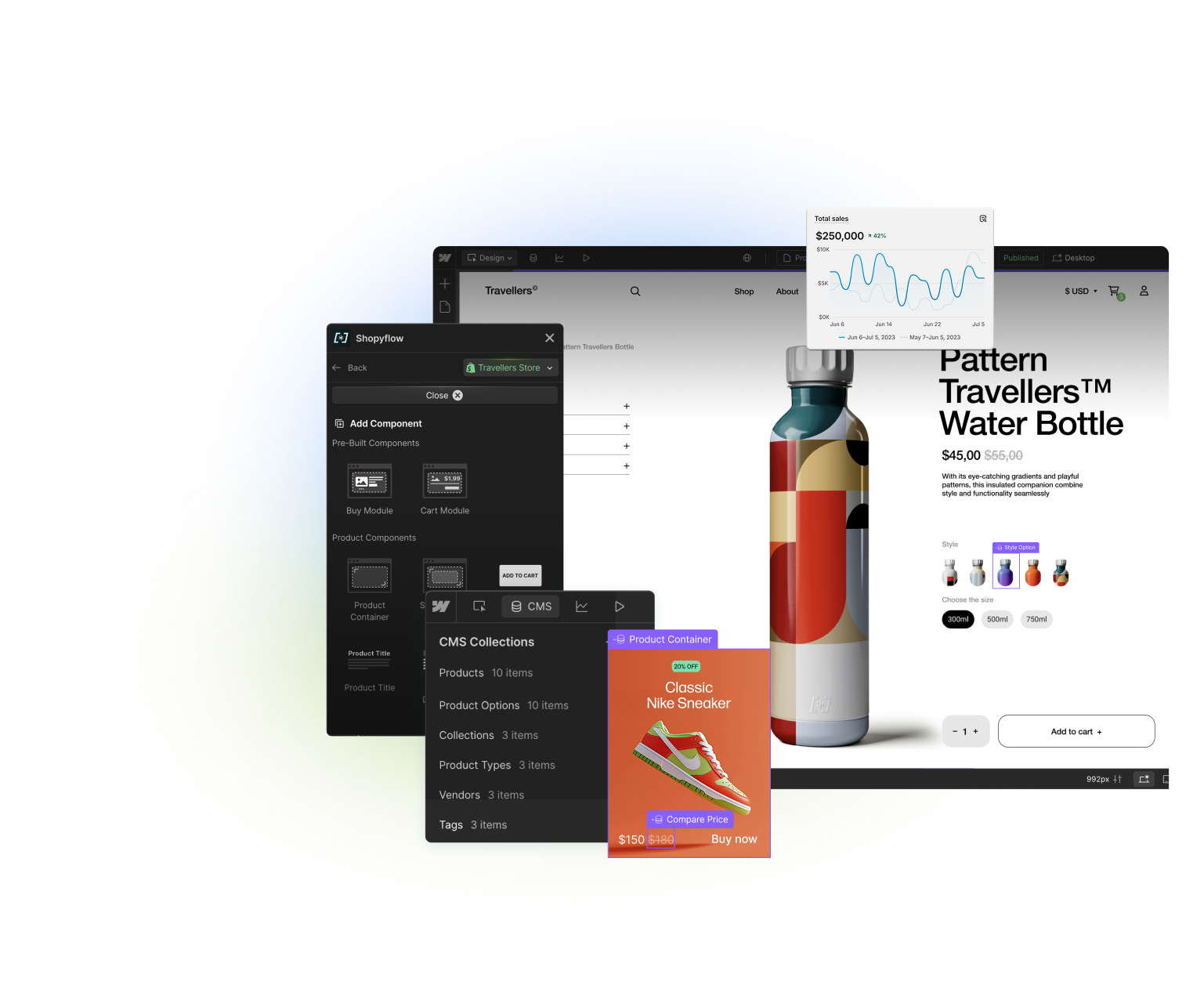
Storesynk Webflow App shown infront of a product page built in Webflow.
BEST OF BOTH WORLDS

Run your store
on the dream stack

Storesynk enables you to take advantage of both platforms without compromising on any features.

Shopify, Storesynk and Webflow logos seen together representing Storesynk being the bridge between the two

Manage in Shopify

Inventory
Management
Payment
Gateways
Analytics
& Insights
Customers
& Discounts
Orders  
& Fulfilment

Build & Publish in Webflow

Best no-code
site builder
Limitless
customization
Unmatched
Site Speed
Robust CMS
Apps &
Integrations
Advanced
SEO Features

Launch design-driven, robust storefronts at speed

Build and manage pixel-perfect storefronts in Webflow with Shopify powering your ecommerce operations.

Feature-rich shopping experiences made simple

Native support for bundles, upsells, tracking and more. JavaScript API for extending the functionality and building unique shopping flows.

One-click setup,
all-native workflow

Get started in minutes with a no-code, simple setup. Start building your store with native Webflow components, tools and workflows.

Free until you launch
CUSTOMERS

Thousands are already on board, building advanced Shopify storefronts the Webflow way

HOW IT WORKS

Seamless integration,
all-native workflow

Storesynk enables you to take advantage of both platforms without compromising on any features.

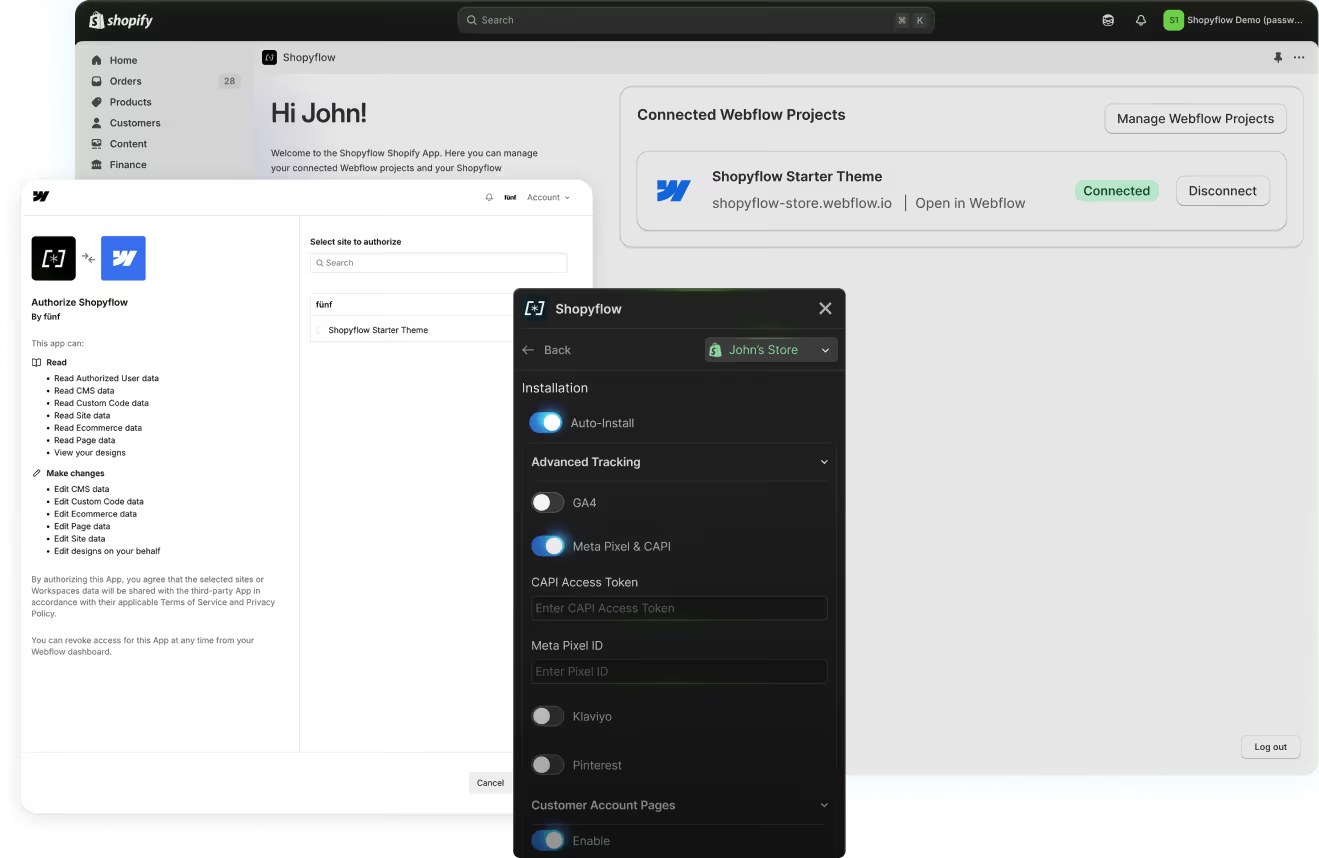
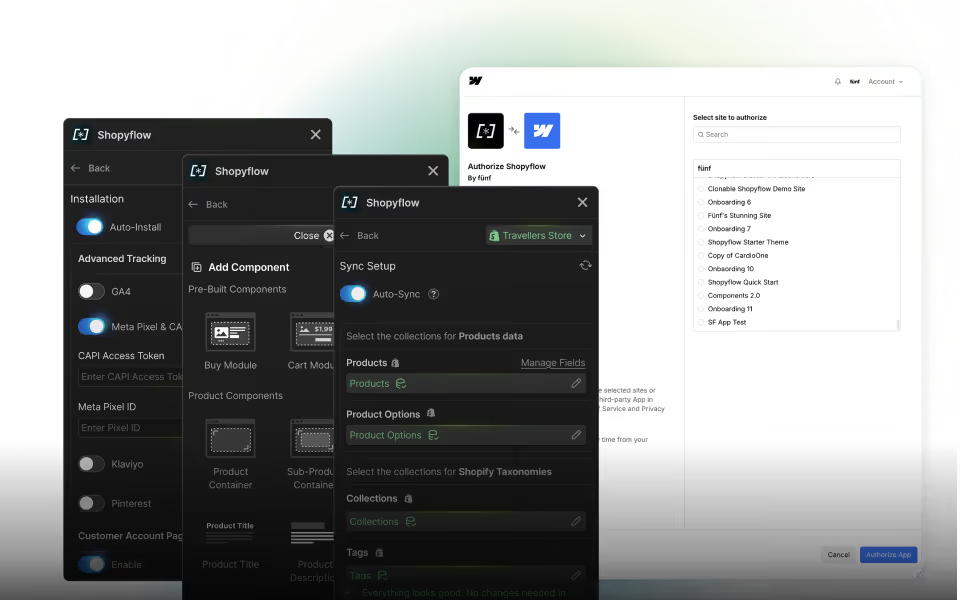
Installation is done with 2 native apps on both platforms.

  • Storesynk Shopify App authenticates your Webflow project to access Shopify data.
  • Storesynk Webflow App brings Shopify data and functionality into your Webflow Designer.

All your storefront is managed from inside Webflow, no extra setup required.

Storesynk Shopify App and Webflow OAuth screen side by side

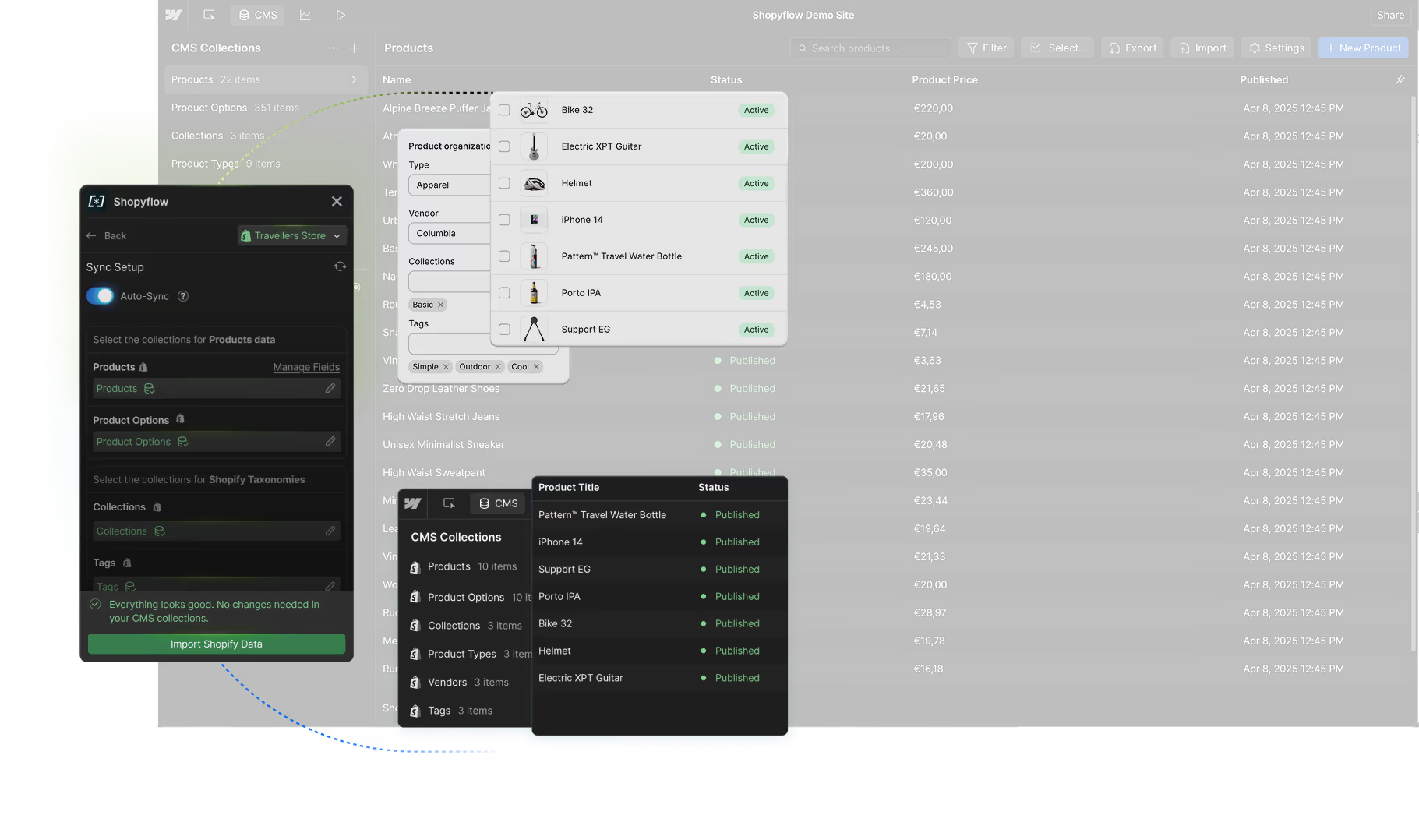
Storesynk syncs your Shopify product data—variants, collections, tags, and more—into Webflow CMS in real time.

  • Build visually in Webflow using live Shopify data.
  • Create SEO-friendly collection pages using synced taxonomies.
  • Webflow serves static pages, so content loads instantly with no layout shifts.

Sync screen inside Storesynk Webflow App

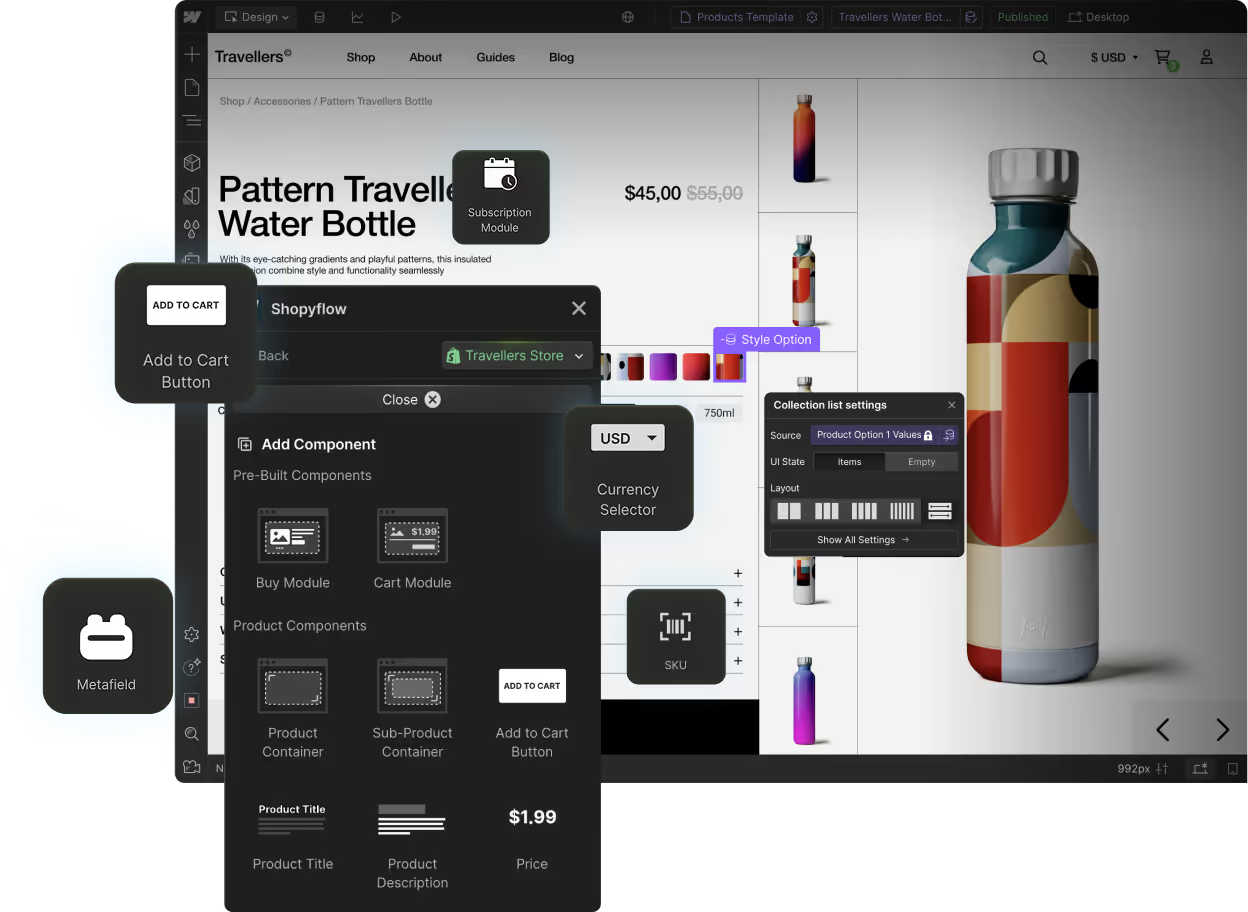
Design and development of your storefront is done visually in the Webflow Designer.

  • 50+ pre-configured ecommerce components accessible directly in Webflow Designer.
  • Kick-start your project with Storesynk's free Client-First Starter Theme or use Shopyflow's Relume Library.

Storesynk component library seen in Storesynk Webflow App

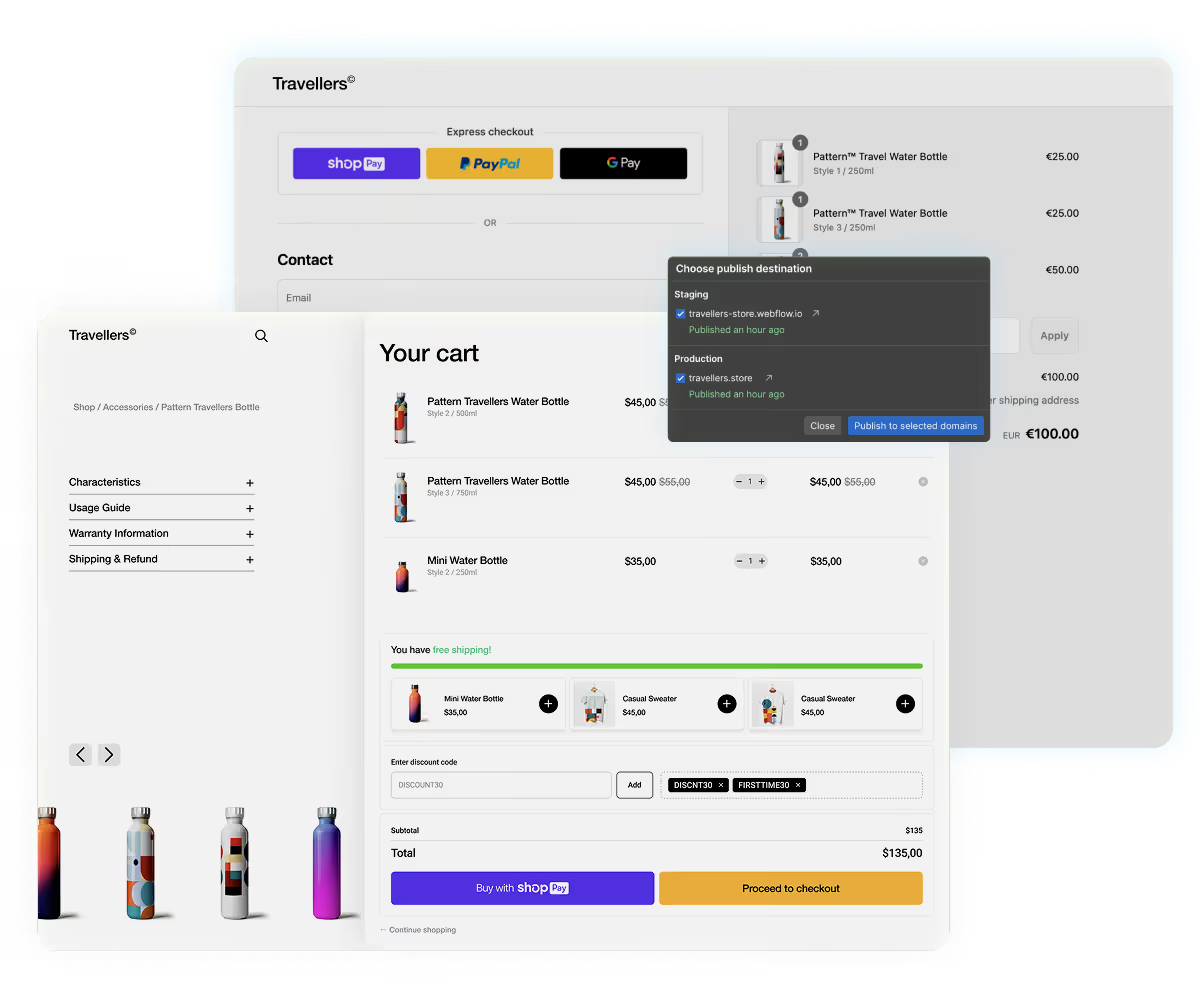
Hit Publish in Webflow and your store is live.

  • Customers browse and shop on your Webflow site, and check out via Shopify.
  • Shopify Analytics tracks customer behavior and store performance.
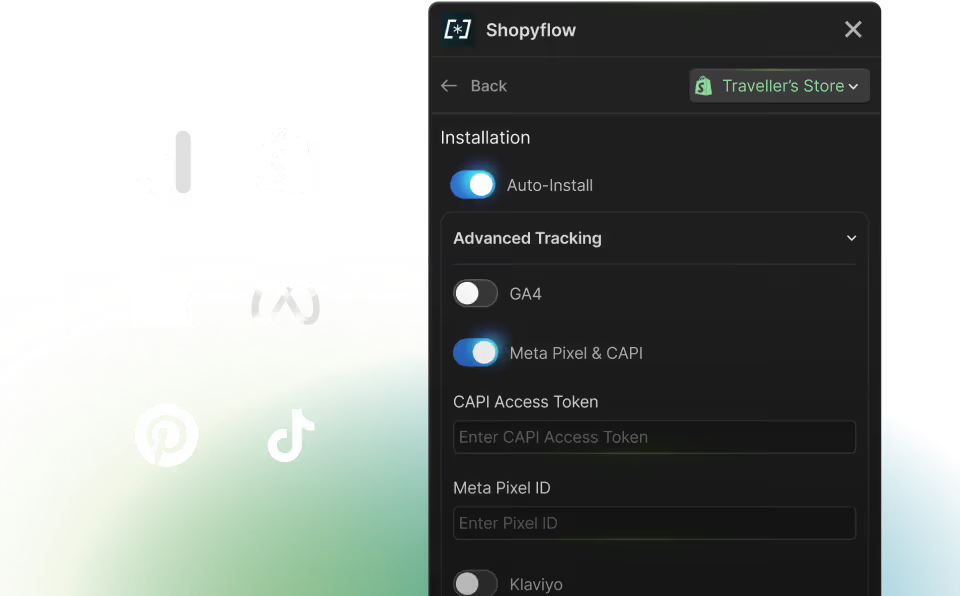
  • Built-in integrations with GA4, Meta Pixel, Klaviyo, Pinterest, and TikTok make tracking simple.

Your store is fast, fully integrated, and ready to scale.

Storesynk cart and Shopify checkout
Free until you launch
FEATURES

Everything you need for your store’s growth

All the essentials and beyond.
Various pages inside Storesynk Webflow app

One-click setup,
all-native workflow

Real-time Shopify to CMS data sync
Preconfigured Component library
Client-first Starter Theme
Storesynk Relume Library
Extensive Documentation
Instant Discord Support
Storesynk Webflow components

Complete set of
ecommerce components

Complete Shopify Product dataset
Shopify Metafields
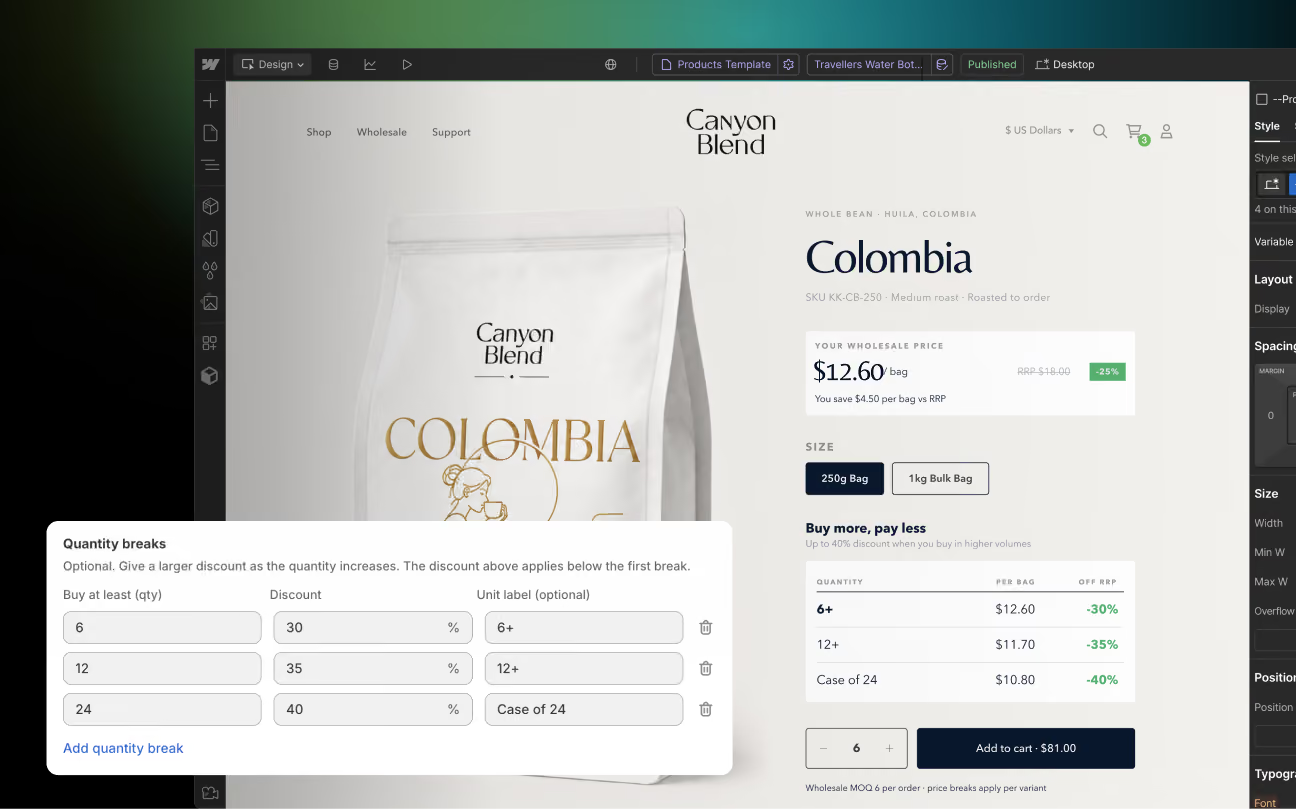
Upsells, Bundles & Cross-sells
Customizable Products
Subscription Products
Gift cards &
File upload

Build and manage advanced stores with ease

Multi-currency and Localization
Cart & Product Upsells
Predictive Search
& Filters
Customizable Products
Sub-Products
JavaScript API
Storesynk features

Tracking & Analytics
Tool Integrations

Shopify
Analytics
Google
Analytics 4
Meta CAPI
Klaviyo
Pinterest
TikTok
Storesynk integrations seen in Storesynk Webflow app
Claude Skill for Storesynk

Site audit with Claude Skill

Easy installation
Component audit
Live URL test
Checks for known issues
Generates report
Free until you launch

Case studies

Hear stories of successful launches from Storesynk users
MIGRATION GUIDE

Migrating from
Webflow Ecommerce?
Watch the video guide

Watch the video guide →

FAQs

Can not find the answer?
Write us your question.

Ask a question

Is Shopyflow called Storesynk now?

Yes. The product, team and accounts are all the same. Just a new name and domain. Nothing changes for you. Your stores, integrations and subscriptions all keep working as before.

Do I need the Webflow e-commerce plan?

You don't need a Webflow E-commerce plan. Depending on your needs, you will need a Webflow Basic or a CMS plan.

How does checkout work?

All the shopping experience except for payment happens in Webflow. Once your customers goes to checkout, they will be redirected to Shopify's checkout page to complete their purchases.

Can I still use my Shopify apps?

Most of the Shopify apps either work with Storesynk or we find a custom solution for you. Reach out to us!

Do I need to convert my Webflow site into a Shopify theme?

No. Our Storesynk brings Shopify into Webflow. From start to end you will stay in Webflow. No theme conversion or Shopify development is required.

How can I update my store in Webflow?

Just as you are updating a regular Webflow site. Update & publish in Webflow.

Can I use 3rd party libraries to filter and sort my products when using CMS?

Yes! Finsweet and Jetboost's solutions do wonders with Storesynk.

Which payment methods will be available to my customers with Storesynk?

All the payment methods that are available in your Shopify store will also be available when using Storesynk.

Do I need a Shopify theme?

No. You won't be using your Shopify theme. You will stay in Webflow.

What about discounts and coupons?

Using automatic product discounts, order discounts and coupon codes is possible with Storesynk.

I have a large catalog of products. Should I use Storesynk?

If you have thousands of products, Storesynk might not be the right solution for you. Our CMS approach requires creating CMS items for each unique product variant which means you will hit Webflow's CMS limits quite fast.

Will my store be secure?

Yes. Storesynk is powered by Shopify’s Storefront API. It’s a public API. This means Storesynk can only access to publicly available information. Nothing else.